1
Create Chatbot
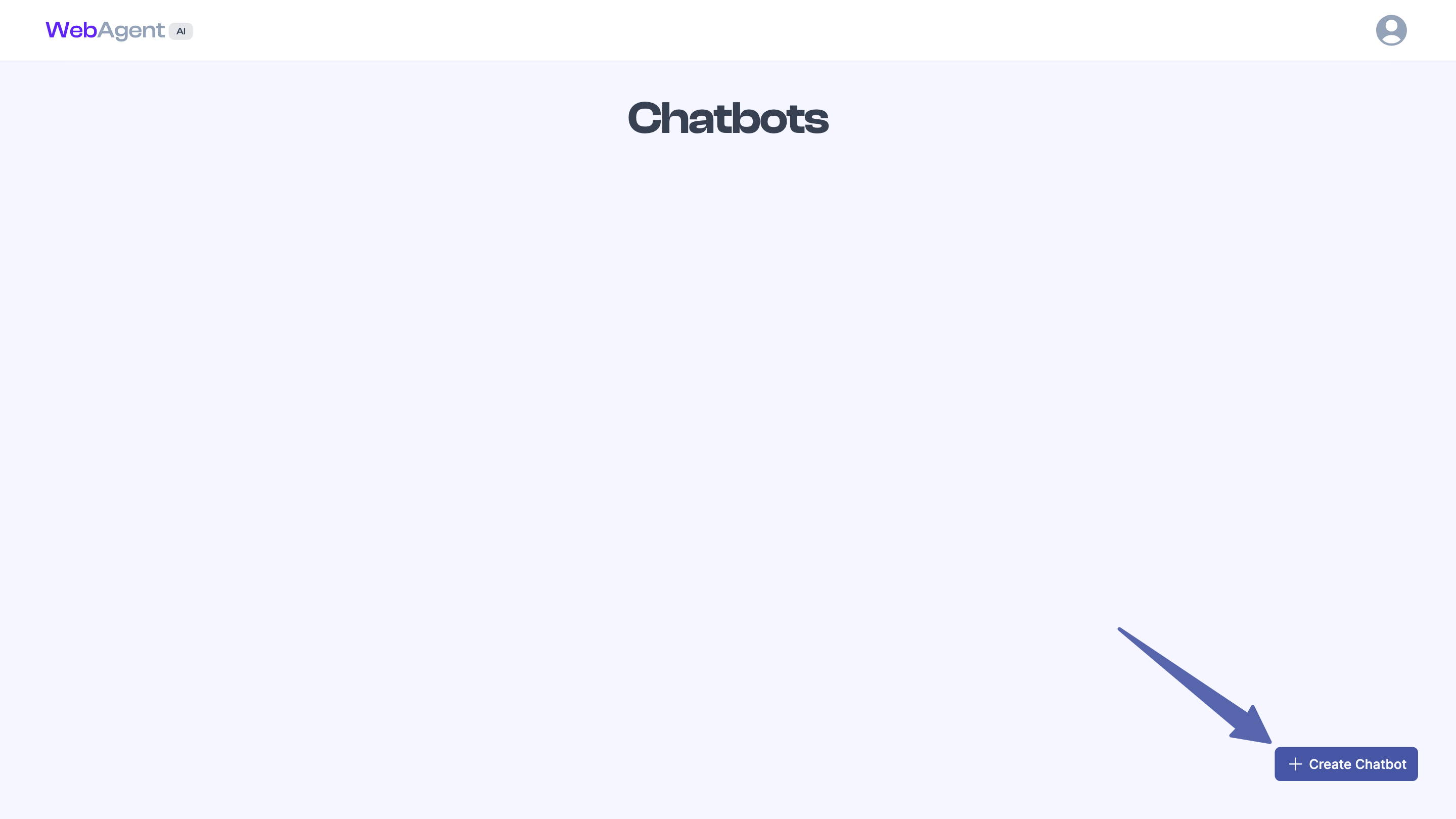
- Go to the Chatbots page on WebAgent.
- Click the Create Chatbot.
- Follow the guided creation flow to set up your chatbot.
2
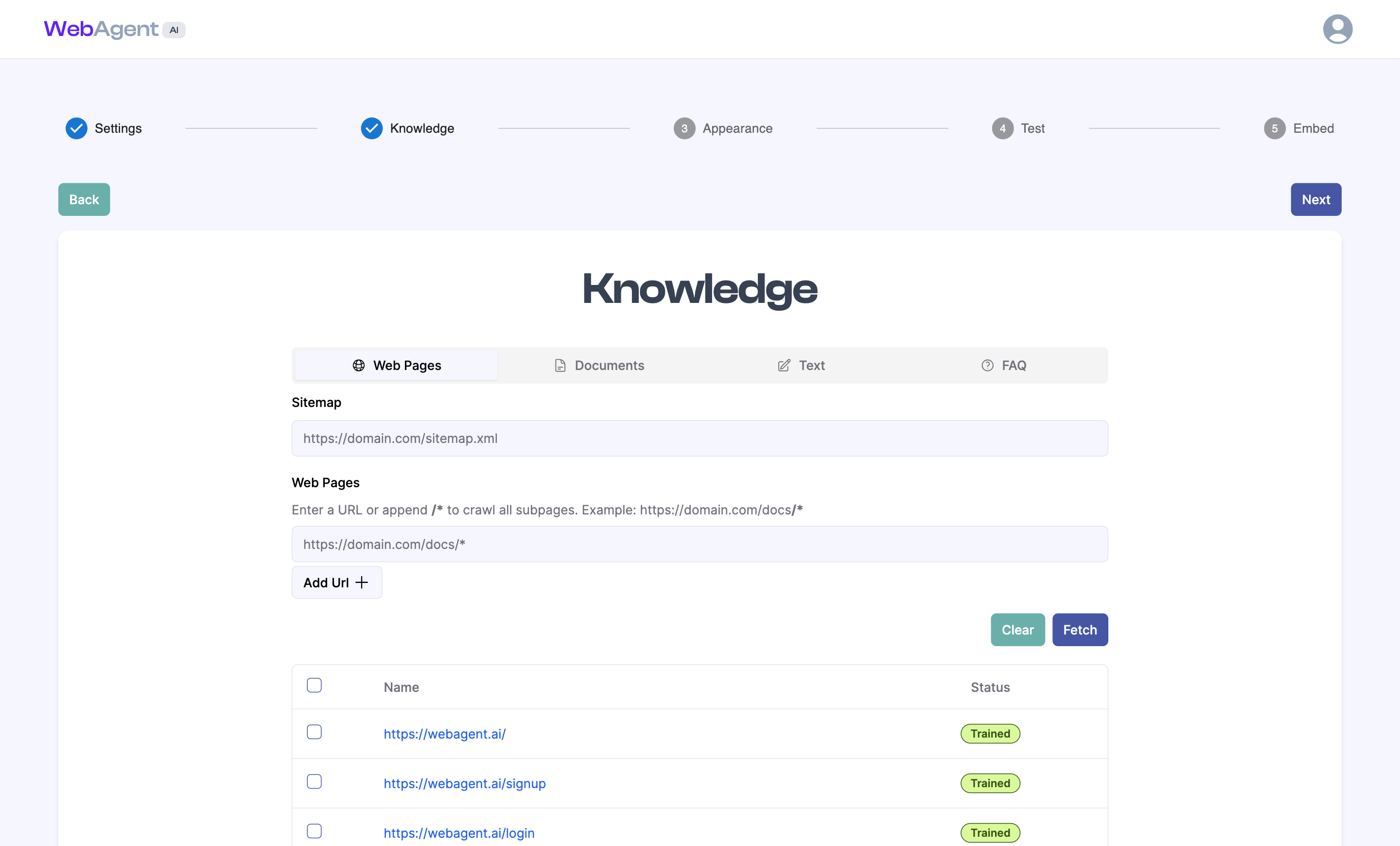
Add Knowledge
Upload relevant text content
- The chatbot will learn from the uploaded content and be able to respond to user queries accurately.
3
Embed on Website
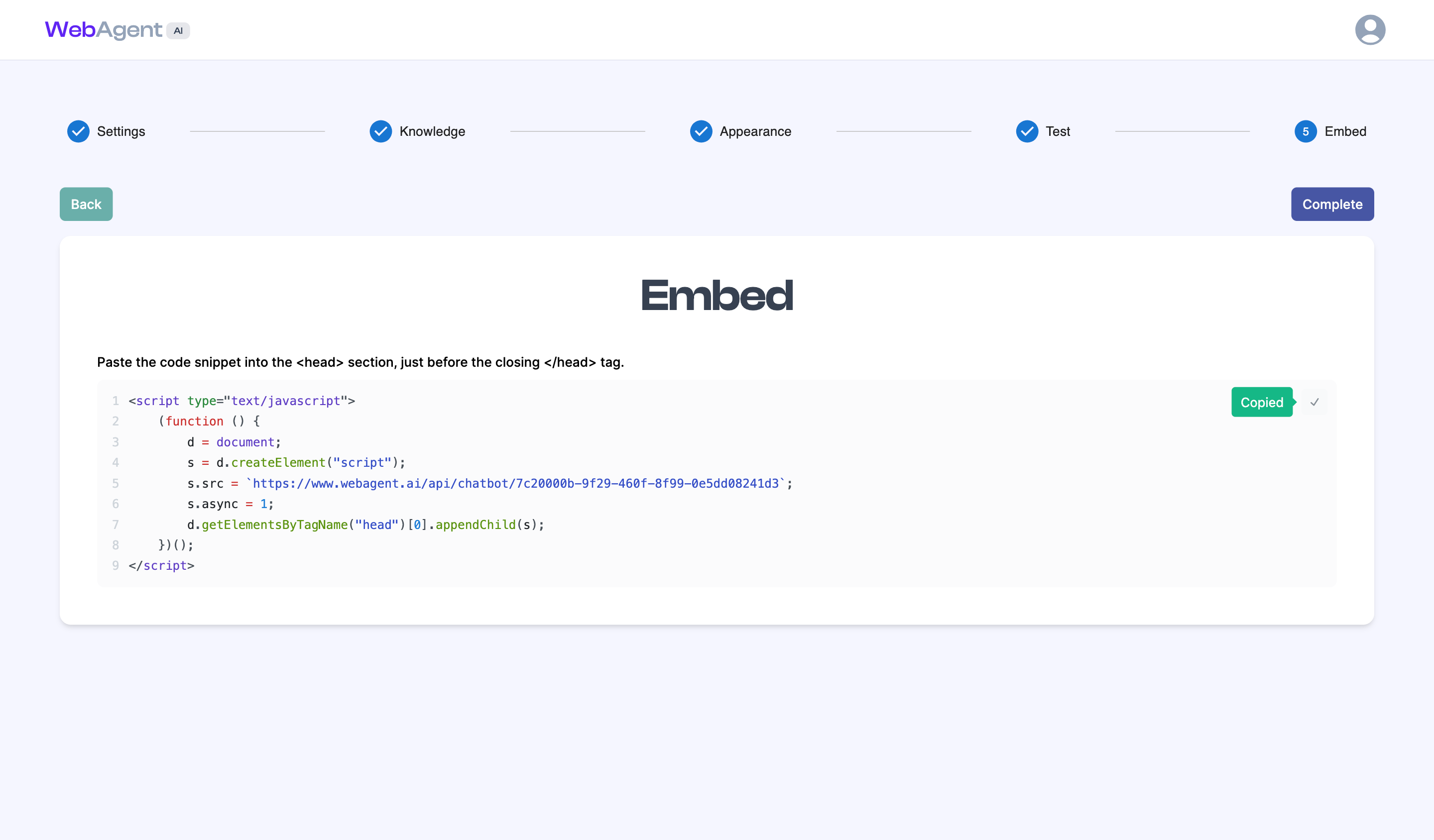
Once your chatbot is trained, you’ll receive a script tag to add to the
<head>section of your website.To add the
<script>tag, follow our tutorials for: