1
Enable Lead Capture
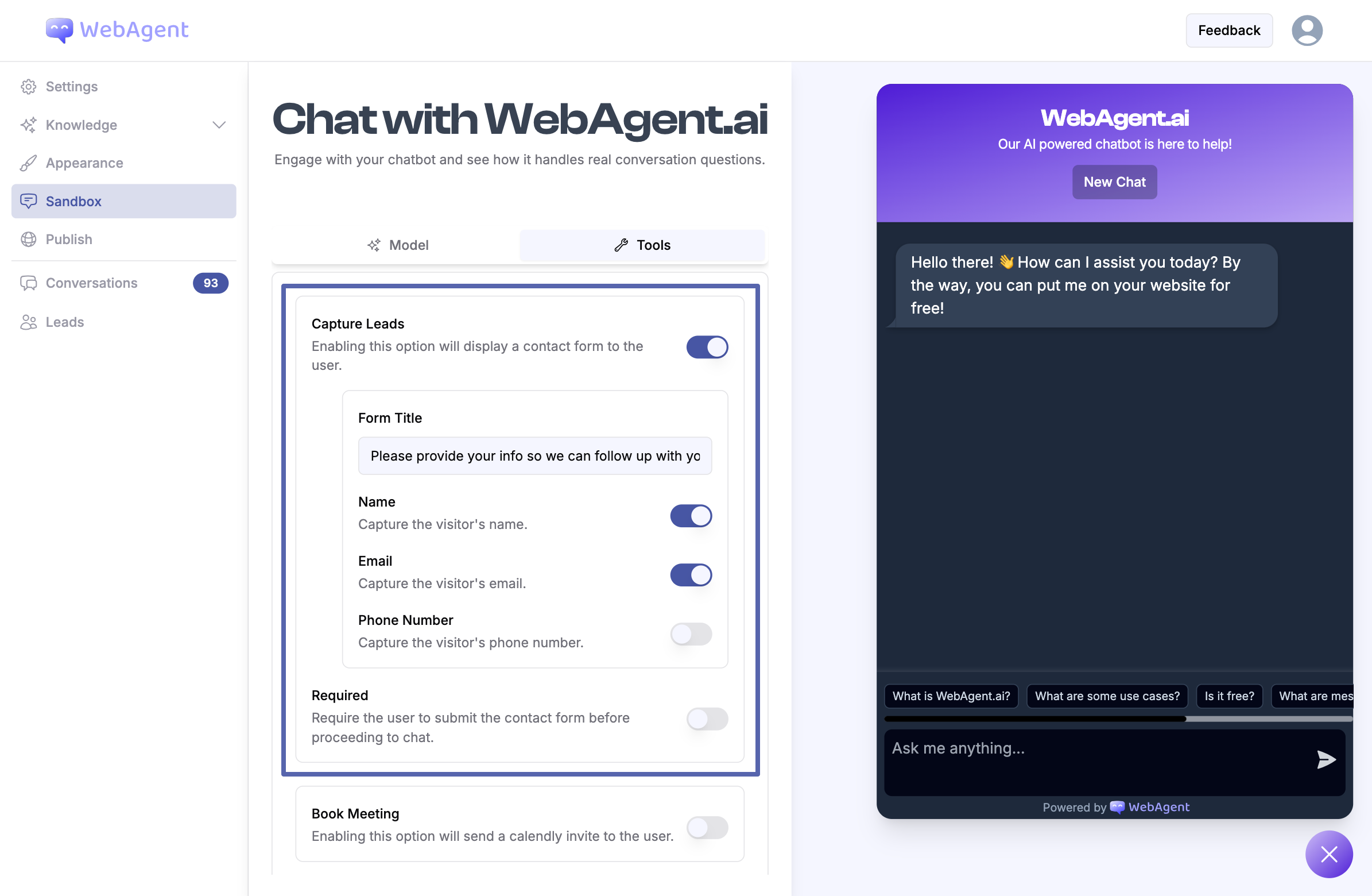
- Navigate to your chatbot’s Sandbox page.
- Select the Tools tab.
- Enable the Capture Leads option.
- Select the fields you want to include in your lead capture form.
2
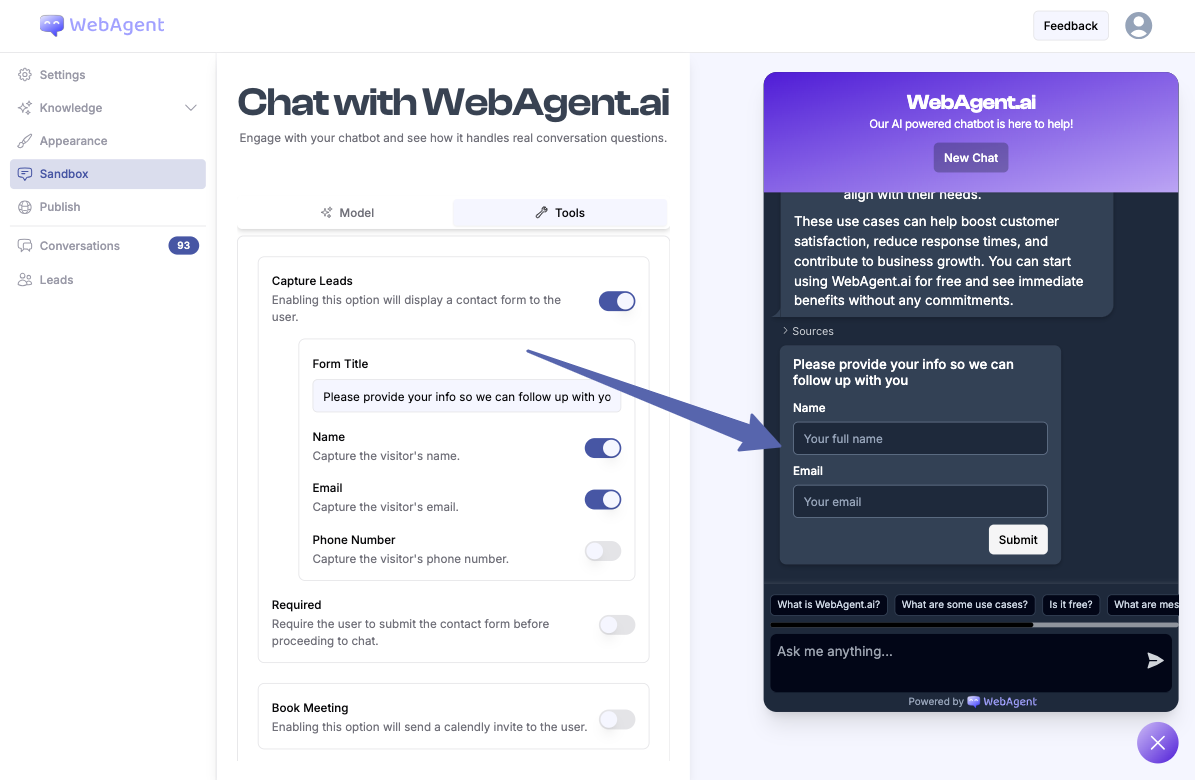
Form is Sent to User
Tip: Offer an incentive (e.g., free resource or discount) to encourage users to submit their contact details.
3
Manage Leads
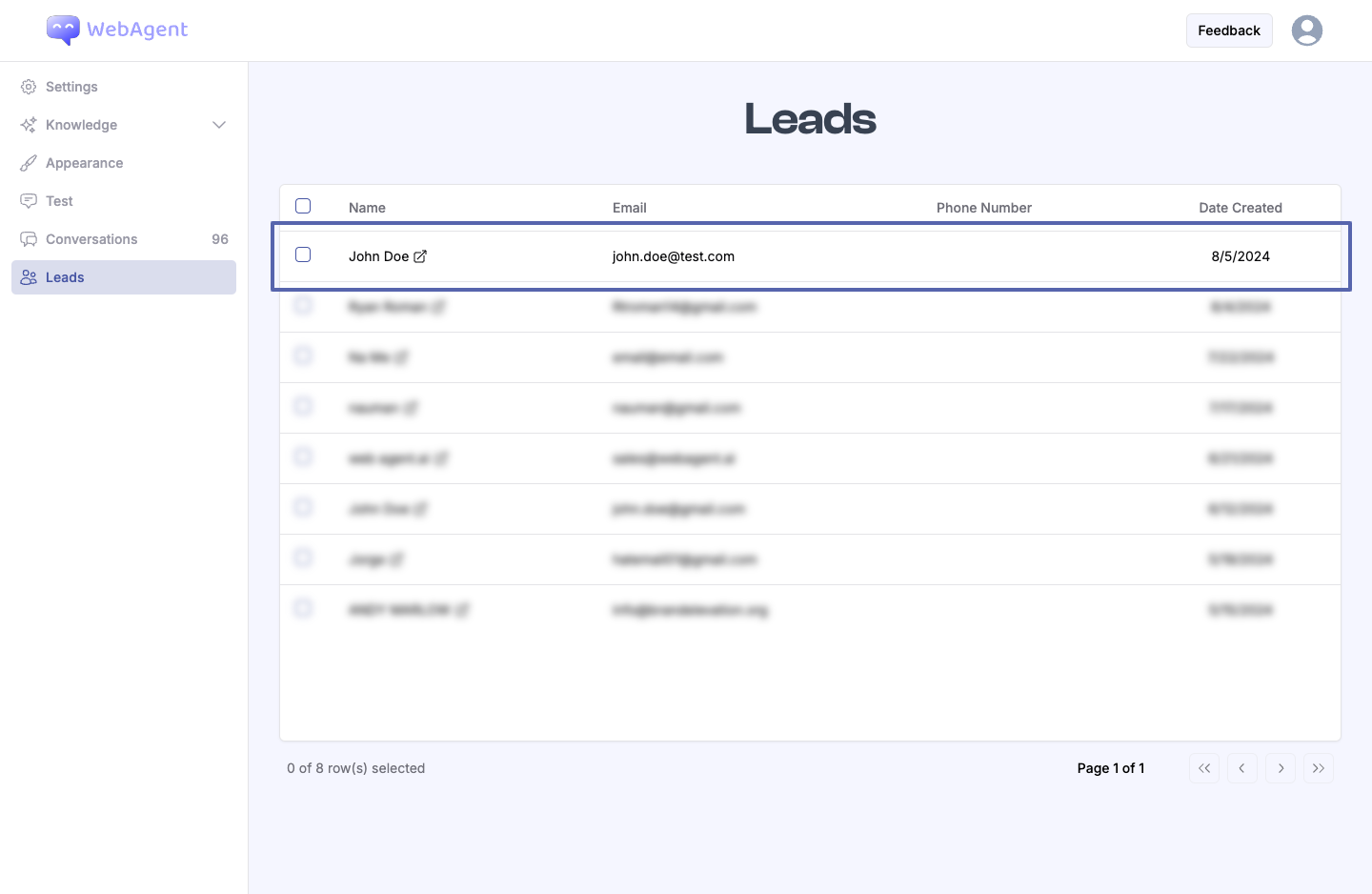
- Access captured leads in the Leads page of your dashboard.
- View detailed contact information for each lead.
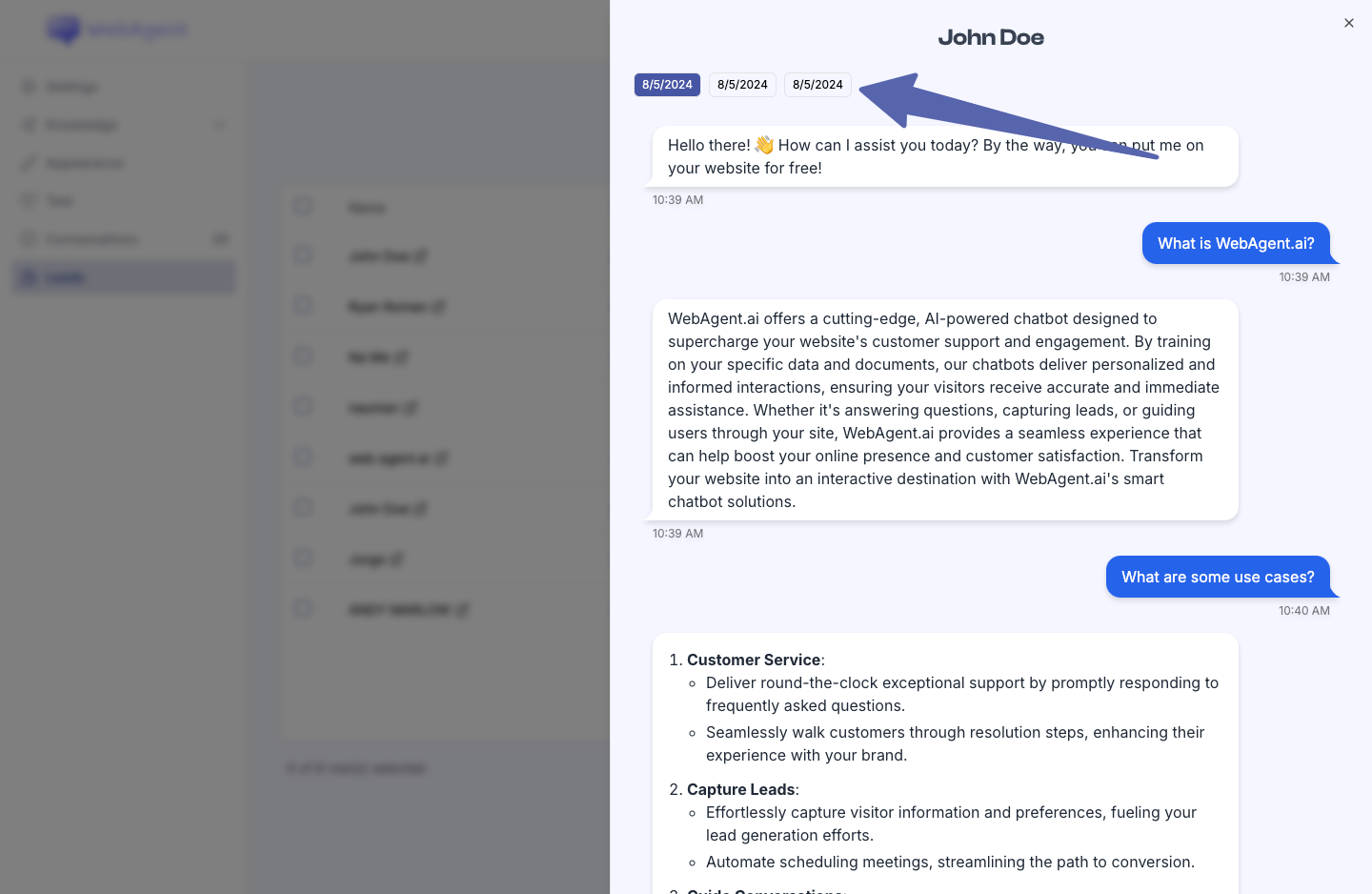
- Analyze conversation history to understand lead interests and needs.