
To use this feature, you’ll need to create a Calendly profile
1
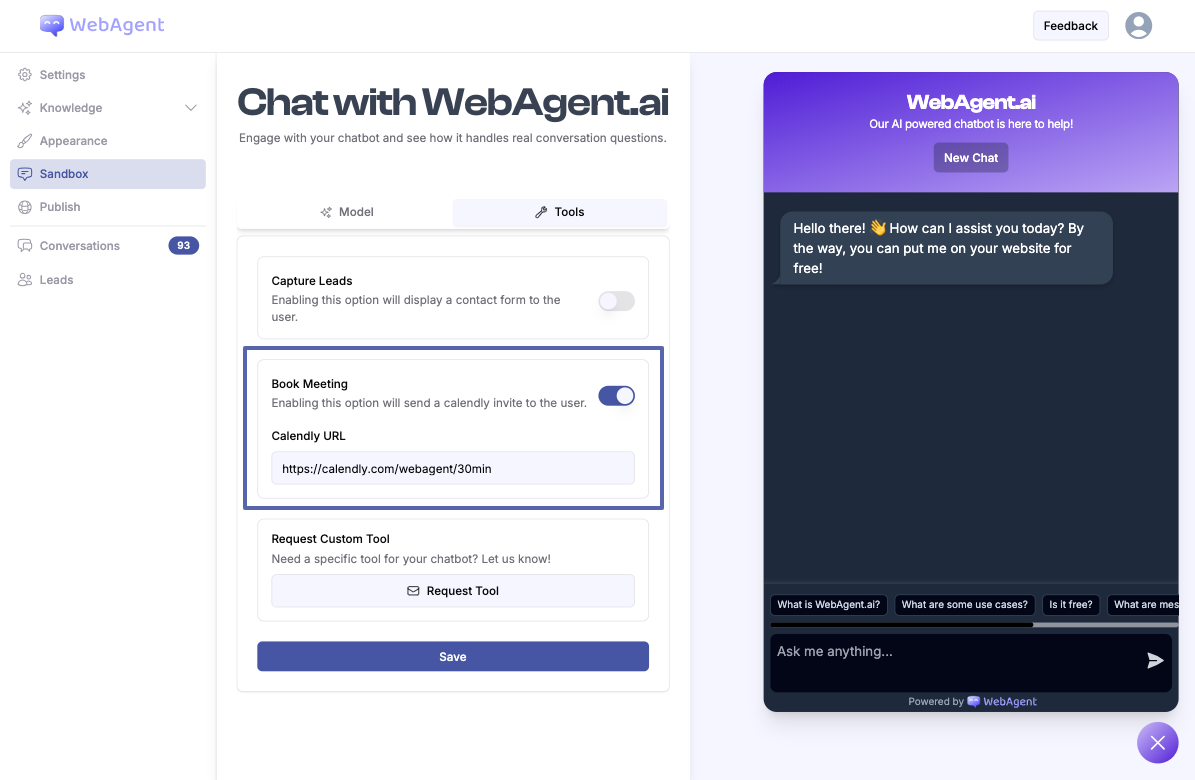
Enable Book Meeting Feature
- Go to your chatbot’s Sandbox page.
- Click on the Tools tab.
- Find the Book Meeting option.
- Paste your booking link.
2
Booking Calender is Sent to User
Once enabled, your chatbot can offer meeting scheduling to users: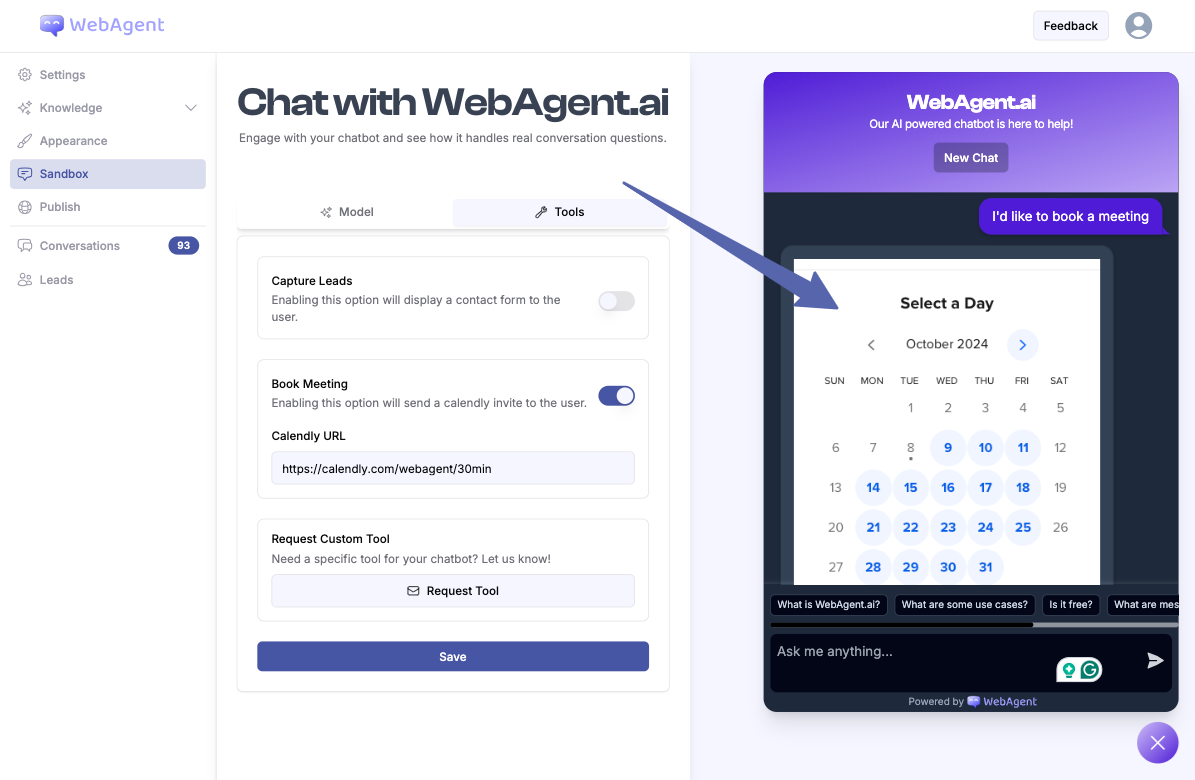
- When a user requests to book a meeting or appointment (e.g., “I’d like to book a meeting”, “Book meeting”, “Schedule appointment”), the chatbot recognizes this intent.
- The chatbot immediately responds by presenting the Calendly booking interface directly within the chat window.