> ## Documentation Index
> Fetch the complete documentation index at: https://docs.webagent.ai/llms.txt
> Use this file to discover all available pages before exploring further.
# Get Unlimited Messages
> Unlock unlimited AI-generated messages by integrating OpenAI API key with WebAgent.ai.
## **Unlimited Messages with OpenAI API Key**
Each subscription plan comes with a set amount of AI-generated messages your chatbot can send within a 30-day window. However, you can unlock unlimited AI-generated messages by integrating your OpenAI API key with WebAgent.ai. This way, you'll never run out of message credits mid-conversation. Once you've exhausted your allocated message credits, we'll seamlessly switch over to use your API key, ensuring uninterrupted conversations with your website visitors.
This feature is only available for paid subscription plans.
## How to Get Unlimited Messages
To take advantage of unlimited messages, simply follow these easy steps:
- Log in to your OpenAI account at [https://platform.openai.com/login?launch](https://platform.openai.com/login?launch).
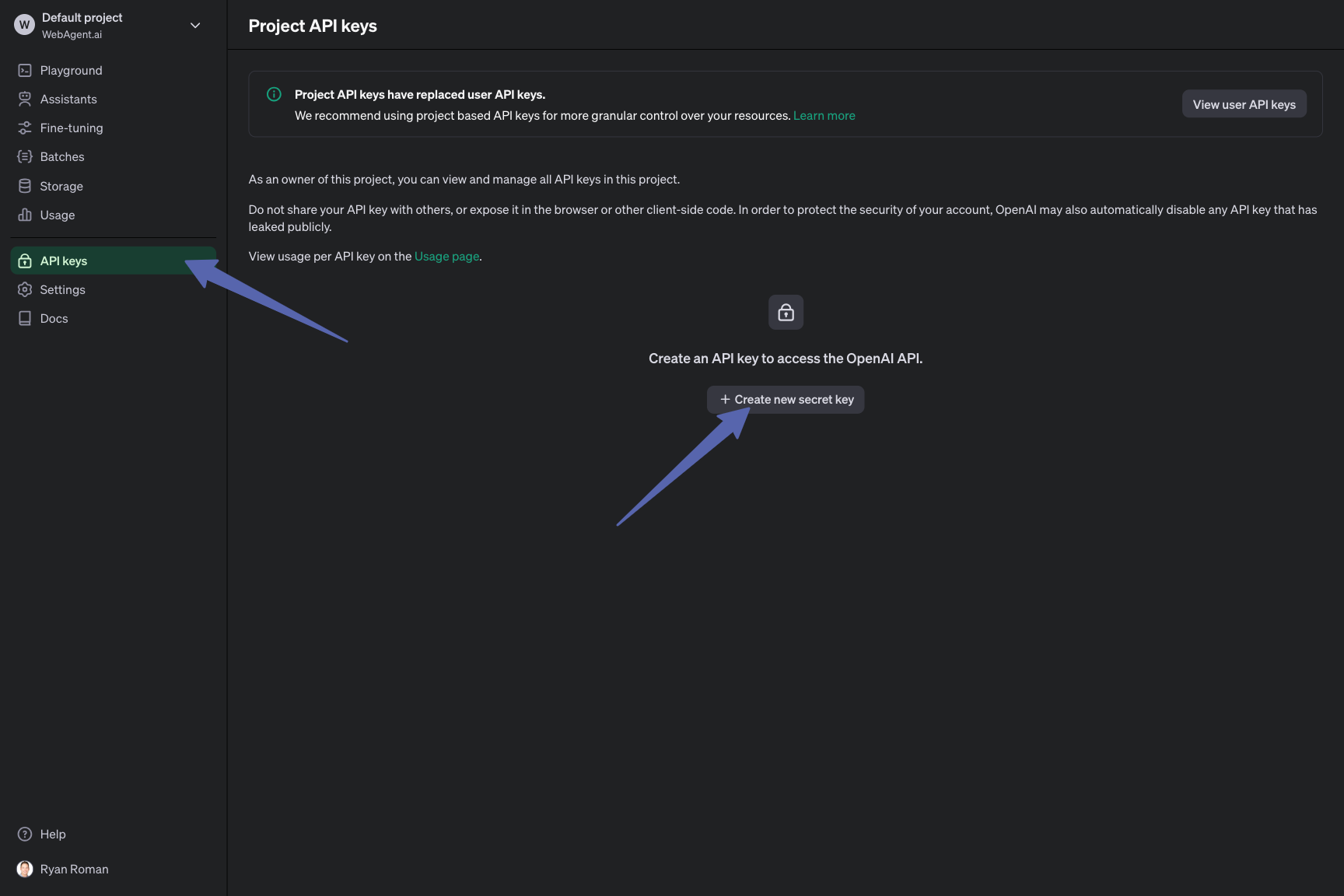
- Navigate to the API Keys page.
- Click on **Create new secret key** and follow the prompts to generate a new API key.
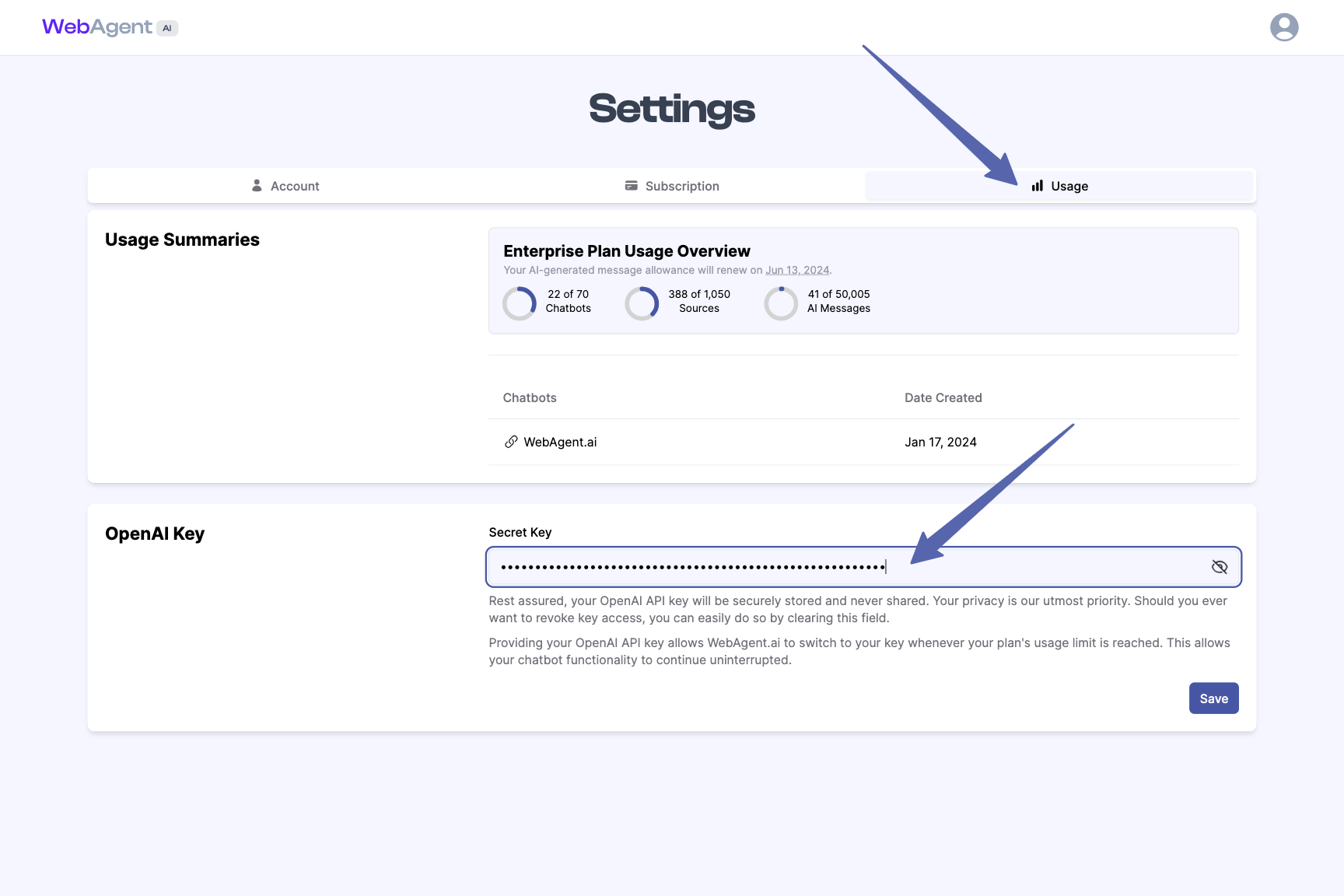
- Log in to your WebAgent.ai account and navigate to the **Settings** page.
- Click on **Usage** tab in the settings page.
- Paste the OpenAI API key you generated in Step 1 into the designated field.
 That's it! Once you've completed these steps, you'll never have to worry about running out of message credits again. Focus on what matters most – providing exceptional customer experiences with your AI-driven chatbot.
If you have any questions or need assistance, our support team is always ready to help.
That's it! Once you've completed these steps, you'll never have to worry about running out of message credits again. Focus on what matters most – providing exceptional customer experiences with your AI-driven chatbot.
If you have any questions or need assistance, our support team is always ready to help.